Game Boy Color Games — Play Free Online
Browse our collection of 8 classic Game Boy Color titles. Click any game to play instantly in your browser — no emulator download required.

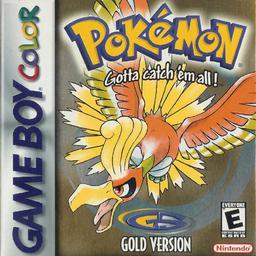

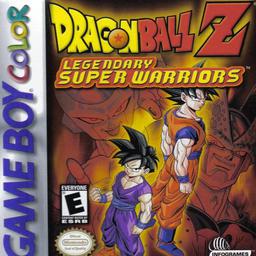

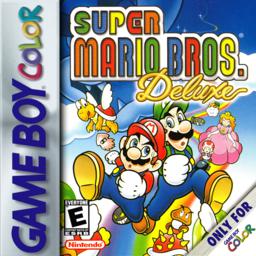
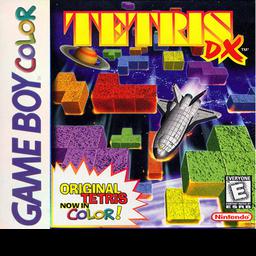
Play Game Boy Color Games Online Free
The Game Boy Color brought full-color gaming to the portable world when Nintendo launched it in 1998. With a 160×144 pixel display capable of rendering up to 56 colors simultaneously, the GBC transformed the handheld library from monochrome shades into vibrant, memorable worlds. Titles like Pokemon Gold and Silver introduced day-and-night cycles that changed gameplay in real time, while Shantae pushed the hardware with gorgeous sprite work that still looks sharp today.
Playing Game Boy Color games online is the most convenient way to experience this classic library. Our browser-based GBC emulator loads ROMs instantly — no installation, no configuration files, no compatibility headaches. Open the page, pick a game, and you are playing within seconds. The emulator runs natively in Chrome, Firefox, Safari, and Edge on Windows, Mac, Linux, and mobile devices.
Why Game Boy Color Games Still Matter
The GBC era produced some of the most polished 8-bit games ever made. Developers had mastered the original Game Boy hardware and now had color to work with, resulting in games that balanced tight gameplay with improved visuals. Pokemon Crystal added animated sprites and the Battle Tower. Tetris DX refined the addictive puzzle formula with multiple modes. Super Mario Bros. Deluxe faithfully recreated the NES classic and added new content. These are not relics — they are some of the best portable games ever designed.
How to Play GBC Games in Your Browser
Click any game above to launch it instantly. Use the on-screen touch controls on mobile, or keyboard controls on desktop: Arrow keys or WASD for the D-Pad, K for A, J for B, Enter for Start, and Right Shift for Select. Save your progress at any point with F5, load with F9, and cycle through 10 save slots with F7. Hold Space for fast forward when you need to breeze through grinding or cutscenes.
Our emulator also supports drag-and-drop ROM loading. Grab your own legally obtained .gbc files and drop them onto the emulator area — they run immediately without any extra steps. Each game saves progress locally in your browser, so you can close the tab and return later to pick up exactly where you left off.
Start Playing Game Boy Color Games Now
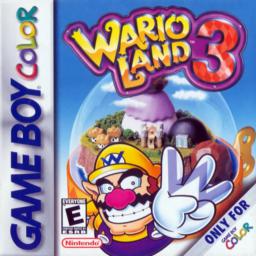
With eight titles spanning RPG, platformer, puzzle, fighting, and action genres, there is something for every type of player. Pokemon fans can revisit Johto, platforming enthusiasts can tackle Wario Land 3 and Super Mario Bros. Deluxe, and puzzle lovers can sink hours into Tetris DX. All games run at full speed with accurate emulation — no audio stuttering, no graphical glitches, no compromises.
Frequently Asked Questions
Click any game from the list above to play instantly in your browser. You can also drag and drop your own .gbc ROM files into the upload area on the main page.
D-Pad: WASD or Arrow Keys. A button: K. B button: J. Start: Enter. Select: Right Shift. Save: F5. Load: F9. Slot: F7. Fast forward: Space.
Yes. Touch controls appear automatically on phones and tablets. Works in Chrome, Safari, and Firefox on iOS and Android.
Yes. Press F5 to save and F9 to load. You have 10 save slots — press F7 to switch between them. Progress is stored in your browser.
We offer 8 Game Boy Color games including Pokemon Crystal, Pokemon Gold, Pokemon Silver, DBZ: Legendary Super Warriors, Shantae, Super Mario Bros. Deluxe, Tetris DX, Wario Land 3. Click any title to start playing instantly.
Playing your own legally obtained ROM files is legal in most jurisdictions. EggerMath provides the emulator software only — you supply the ROM files.